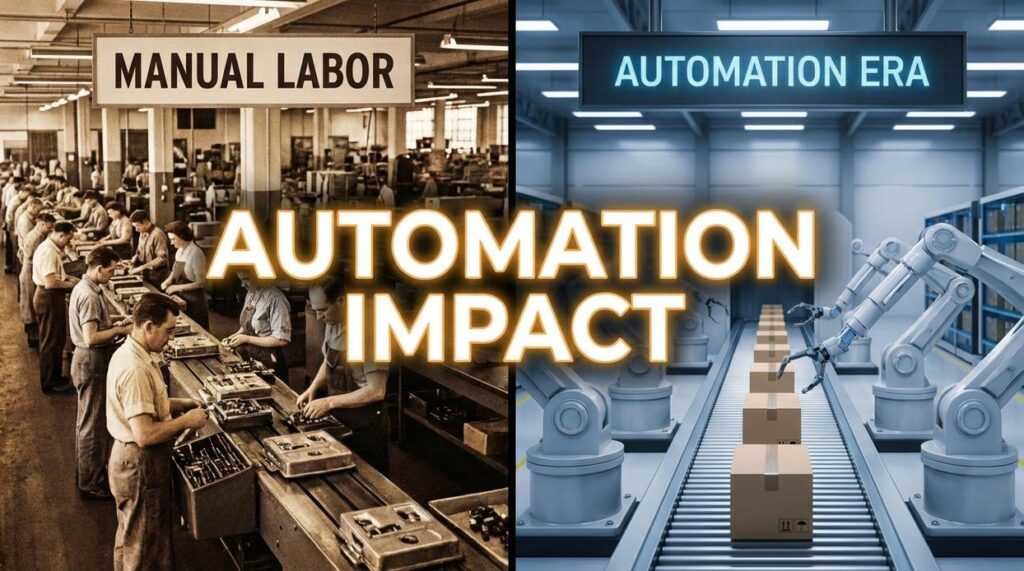
If you’re looking to eliminate bottlenecks, reduce errors, and scale your operations without burning out your team, this guide is built for you. Manual, repetitive processes quietly drain time and introduce costly mistakes—especially in complex technical environments. This article breaks down how technical workflow automation tools streamline intricate tasks, improve accuracy, and accelerate delivery across your organization. Drawing on over a decade of hands-on experience designing and implementing enterprise-grade digital infrastructure and feed-based network protocols, the insights here go beyond theory. You’ll learn what technical workflow automation really means, the measurable benefits it delivers, and how to choose the right solution for your specific technical ecosystem.
Defining the Digital Engine: What is Technical Workflow Automation?
At a glance, automation can look simple: write a script, press run, save time. But there’s a big difference between a SINGLE TASK SCRIPT and true workflow automation.
A basic script handles one action in isolation—say, renaming files or restarting a service. Useful? Absolutely. Transformative? Not quite.
Workflow automation, by contrast, orchestrates multi-step, multi-system processes. It connects approvals, configurations, notifications, and validations into one coordinated flow. Think less “solo guitarist,” more “full orchestra.”
Beyond Scripts: Orchestration in Action
Consider new server provisioning.
Manual flow:
- Submit ticket.
- Manager approves.
- IT configures server.
- Security validates settings.
- QA runs tests.
Each step lives in a different tool. Delays pile up. Context gets lost.
Automated flow:
One request triggers APIs, approvals, configuration scripts, security checks, and test suites—automatically and in order. The system logs every action in a monitoring dashboard.
That’s the power of technical workflow automation tools: a workflow engine (the decision-maker), integrations via APIs/connectors (the messengers), and logging/monitoring (the control tower).
Some argue scripts are “good enough” (and for small teams, they might be). But as complexity scales, isolated fixes create brittle systems. Orchestration creates resilience. In modern digital infrastructure, coordination isn’t a luxury—it’s the ENGINE.
The Strategic Impact: Benefits That Reshape Business Operations
First, let’s address the obvious question: can automation really eliminate human error? “We used to spend hours fixing configuration mistakes,” one DevOps lead told me. “After automation, those errors just… stopped.” Radical error reduction happens because automated systems follow predefined rules—scripts and logic that execute tasks consistently—instead of relying on memory or manual input. In complex data environments, that consistency is everything.
At the same time, security teams often push back. “Automation adds risk,” a compliance officer once argued. Yet automated workflows can enforce policies automatically and generate immutable audit trails—tamper-proof records of activity—making compliance with SOC 2 and ISO 27001 far more manageable (AICPA, 2022; ISO, 2022). In practice, automation strengthens governance rather than weakening it.
Then there’s scalability. Instead of hiring linearly with growth, businesses scale infrastructure on demand. As one CTO put it, “We doubled our customer base without doubling headcount.” That’s the leverage modern organizations seek.
Key operational shifts include:
- Consistent configuration management
- Built-in compliance reporting
- Elastic infrastructure scaling
- Reallocation of engineering talent
Finally, automation frees experts from repetitive maintenance. With technical workflow automation tools handling routine tasks, engineers focus on innovation. And frankly, that’s where human intelligence belongs.
Automation in Action: Real-World Use Cases for Maximum Impact

Automation isn’t just about saving time (though that’s a nice perk). It’s about building systems that run RELIABLY at scale.
IT Infrastructure & DevOps
In CI/CD (Continuous Integration/Continuous Deployment), automation tools test, build, and deploy code every time a developer pushes changes. For example, a Git-based pipeline can:
- Run automated unit tests.
- Build a container image.
- Deploy to staging.
- Promote to production if tests pass.
This reduces human error and speeds up releases. According to the 2023 DORA report, elite teams deploy multiple times per day with lower failure rates (Google Cloud, 2023). Pro tip: Start with automated testing before full deployment automation—broken code moves fast in CI/CD.
Data Engineering & ETL Processes
ETL (Extract, Transform, Load) pipelines automatically move data from CRMs, apps, and APIs into warehouses. Using technical workflow automation tools, teams schedule jobs that cleanse duplicates, standardize formats, and validate records before loading. Think of it as an assembly line for data (minus the hard hats).
• SCALABILITY
• VISIBILITY
Clear monitoring dashboards also help with reducing context switching in engineering teams.
Cloud Resource Management
Auto-scaling adjusts compute resources based on traffic spikes. Scripts can shut down idle instances nightly and enforce budget caps. That’s automation with teeth—and a cost conscience.
A Practical Framework for Choosing the Right Automation Software
Choosing automation software sounds straightforward—until you realize most teams start with demos instead of diagnosis. That’s backwards.
Step 1: Map Your Core Processes
First, audit your most painful, repetitive workflows. Where does work stall? Which handoffs fail? Document the systems involved and define terms clearly: a workflow is the sequence of tasks that turns input into outcome. Without this map, even the best technical workflow automation tools will amplify chaos instead of fixing it (yes, automation can scale dysfunction).
Step 2: Evaluate Integration Capabilities
Next, look at integrations. A platform’s value lies in how well it connects to AWS, Jira, GitHub, and Slack. Pre-built connectors reduce custom code and maintenance overhead. Still, don’t assume “more integrations” equals better—depth matters more than logos on a landing page.
Step 3: Assess Scalability and Performance
Then consider scale. Can it run hundreds of workflows concurrently without lag? Many vendors promise elasticity; fewer deliver under load.
Step 4: Scrutinize Security and Governance
RBAC, secrets management, and audit logs aren’t optional. Automation without governance is just fast risk.
Step 5: Ease of Use vs. Power
Finally, resist the low-code hype. Sometimes a developer-centric tool is safer and more sustainable long term.
From Manual Bottlenecks to Streamlined Operations
You came here to understand how to eliminate inefficiencies and finally make your systems work for you—not against you. Now you have a clear path to leveraging software and technical workflow automation tools to streamline operations and reclaim valuable time.
Manual bottlenecks aren’t just frustrating—they drain talent, introduce costly errors, and slow your growth in a market that won’t wait. Strategic automation changes that. It builds resilient, scalable systems that free your team to focus on high-impact work instead of repetitive tasks.
Start today: identify your most time-consuming technical workflow and map out one automation opportunity. Don’t let inefficiency hold you back—implement the right tools now and turn operational friction into measurable momentum.
 There is a specific skill involved in explaining something clearly — one that is completely separate from actually knowing the subject. Kimberlee Blankurtins has both. They has spent years working with digital infrastructure strategies in a hands-on capacity, and an equal amount of time figuring out how to translate that experience into writing that people with different backgrounds can actually absorb and use.
Kimberlee tends to approach complex subjects — Digital Infrastructure Strategies, Tech Workflow Optimization Tips, Insight Influx being good examples — by starting with what the reader already knows, then building outward from there rather than dropping them in the deep end. It sounds like a small thing. In practice it makes a significant difference in whether someone finishes the article or abandons it halfway through. They is also good at knowing when to stop — a surprisingly underrated skill. Some writers bury useful information under so many caveats and qualifications that the point disappears. Kimberlee knows where the point is and gets there without too many detours.
The practical effect of all this is that people who read Kimberlee's work tend to come away actually capable of doing something with it. Not just vaguely informed — actually capable. For a writer working in digital infrastructure strategies, that is probably the best possible outcome, and it's the standard Kimberlee holds they's own work to.
There is a specific skill involved in explaining something clearly — one that is completely separate from actually knowing the subject. Kimberlee Blankurtins has both. They has spent years working with digital infrastructure strategies in a hands-on capacity, and an equal amount of time figuring out how to translate that experience into writing that people with different backgrounds can actually absorb and use.
Kimberlee tends to approach complex subjects — Digital Infrastructure Strategies, Tech Workflow Optimization Tips, Insight Influx being good examples — by starting with what the reader already knows, then building outward from there rather than dropping them in the deep end. It sounds like a small thing. In practice it makes a significant difference in whether someone finishes the article or abandons it halfway through. They is also good at knowing when to stop — a surprisingly underrated skill. Some writers bury useful information under so many caveats and qualifications that the point disappears. Kimberlee knows where the point is and gets there without too many detours.
The practical effect of all this is that people who read Kimberlee's work tend to come away actually capable of doing something with it. Not just vaguely informed — actually capable. For a writer working in digital infrastructure strategies, that is probably the best possible outcome, and it's the standard Kimberlee holds they's own work to.